- Published on
- Exercise 4
Detecting unauthorized application behaviour at runtime with RHACS
- Authors
- Name
Throughout this workshop we've looked at 'PwnKit', a vulnerability in the PolKit package potentially allowing privileged escalation. So far we've looked at:
- Analyzing container images for CVEs, and identifying vulnerable OpenShift workloads
- Running a campaign for PwnKit-vulnerable container images and deployments
- Blocking container images vulnerable to PwnKit from being deployed to OpenShift
One of the critical requirements to exploit PwnKit is that users can interactively run pkexec from a container. In this lab, we'll look at detecting and preventing pkexec usage from within containers, mitigating PwnKit exploitation.
Red Hat Advanced Cluster Security for Kubernetes (RHACS) runtime security
Historically, the operating system has always been an ideal place to implement observability, security, and networking functionality due to the kernel’s privileged ability to oversee and control the entire system. At the same time, an operating system kernel is hard to evolve due to its central role and high requirement towards stability and security. The rate of innovation at the operating system level has thus traditionally been lower compared to functionality implemented outside of the operating system.
The extended Berkeley Packet Filter (eBPF) changes this formula fundamentally. It allows sandboxed programs to run within the operating system, which means that application developers can run eBPF programs to add additional capabilities to the operating system at runtime. The operating system then guarantees safety and execution efficiency as if natively compiled with the aid of a Just-In-Time (JIT) compiler and verification engine. This has led to a wave of eBPF-based projects covering a wide array of use cases, including next-generation networking, observability, and security functionality.
Today, eBPF is used extensively to drive a wide variety of use cases: Providing high-performance networking and load-balancing in modern data centers and cloud native environments, extracting fine-grained security observability data at low overhead, helping application developers trace applications, providing insights for performance troubleshooting, preventive application and container runtime security enforcement, and much more. The possibilities are endless, and the innovation that eBPF is unlocking has only just begun.
Red Hat Advanced Cluster Security for Kubernetes (RHACS) uses an eBPF probe to detect processes running in containers, and also detect container network traffic flows. The eBPF probe runs on every Red Hat Enterprise Linux CoreOS (RHCOS) node of an OpenShift cluster.
Detecting pkexec in containers
Our goal in this lab is to detect and prevent the pkexec binary being used in containers. To do this, we can implement a runtime policy in Red Hat Advanced Cluster Security for Kubernetes (RHACS).
Navigate to 'Platform Configuration' -> 'Policy management'. This time we're going to import a policy into RHACS.
Select the Import policy button to bring up the import dialog.


In the text-box, paste the following policy, replacing %%replace-me%% with your username:
{
    "policies": [
        {
            "name": "Polkit Execution Detected - %%replace-me%%",
            "description": "Detects execution of the pkexec binary in a container",
            "rationale": "Polkit can be abused by attackers to elevate privileges within a container.",
            "remediation": "Use your package manager's \"remove\" command to remove polkit packages from the image build for production containers.",
            "disabled": false,
            "categories": [
                "Security Best Practices"
            ],
            "lifecycleStages": [
                "RUNTIME"
            ],
            "eventSource": "DEPLOYMENT_EVENT",
            "exclusions": [],
            "scope": [],
            "severity": "MEDIUM_SEVERITY",
            "enforcementActions": [
                "KILL_POD_ENFORCEMENT",
                "FAIL_KUBE_REQUEST_ENFORCEMENT"
            ],
            "notifiers": [],
            "SORTName": "",
            "SORTLifecycleStage": "",
            "SORTEnforcement": false,
            "policyVersion": "1.1",
            "policySections": [
                {
                    "sectionName": "",
                    "policyGroups": [
                        {
                            "fieldName": "Process Name",
                            "booleanOperator": "OR",
                            "negate": false,
                            "values": [
                                {
                                    "value": "pkexec"
                                }
                            ]
                        }
                    ]
                }
            ],
            "mitreAttackVectors": [],
            "criteriaLocked": false,
            "mitreVectorsLocked": false,
            "isDefault": false
        }
    ]
}
Select 'Begin import'.

Once the policy is imported you can search for 'Policy: polkit' to see the new policy. Select the menu next to the new policy and select 'Edit policy'

Adding an inclusive scope
We only want this policy to apply to a single project, so select 'Policy scope' and 'Add inclusion scope'. Select the openshift cluster from the drop-down and enter your project name.

Trying out the policy
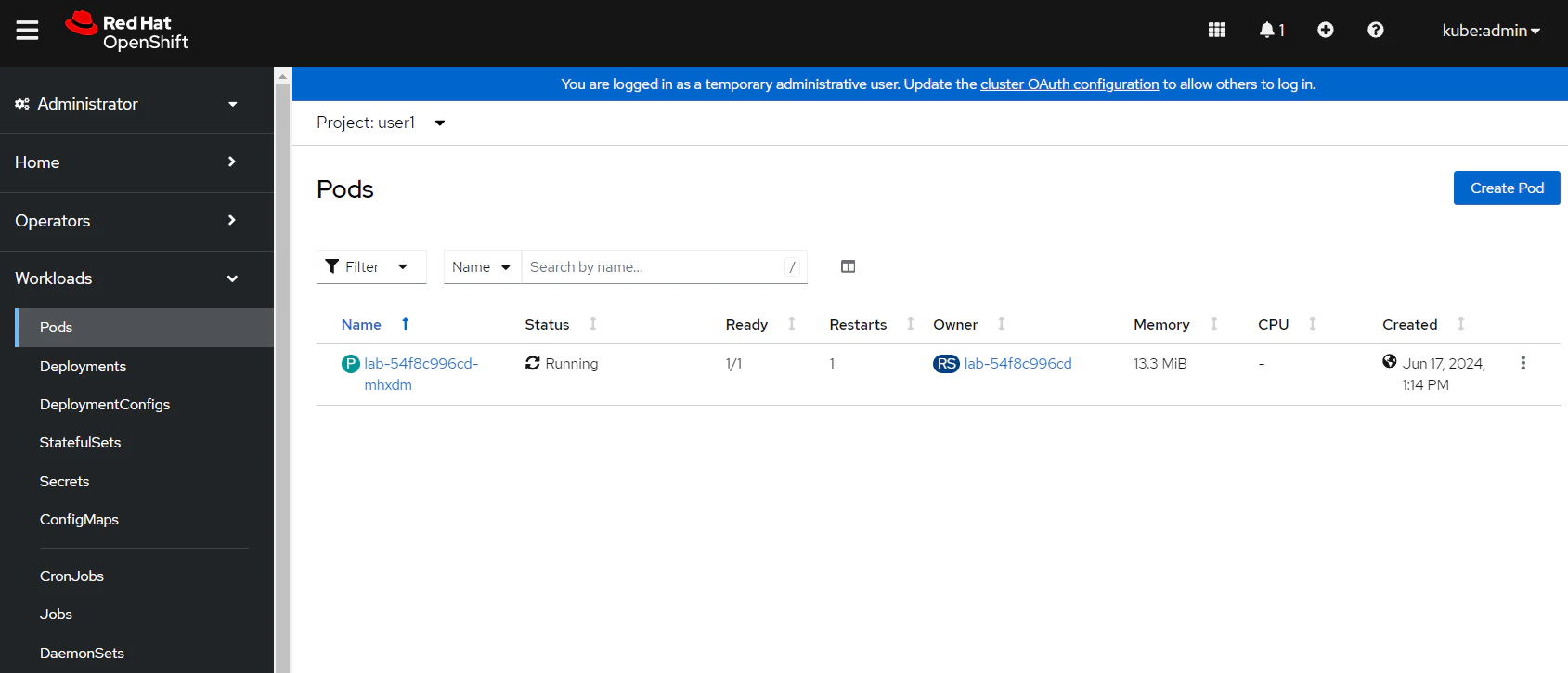
Now that this policy is enabled and enforcing, let's try it out. Login to OpenShift and find the lab deployment in your individual namespace (e.g. user1).

Find the pod associated with this deployment and open a terminal session.

Try and run pkexec from the container. You should observe that the pod begins terminating:

Navigate back to Red Hat Advanced Cluster Security for Kubernetes (RHACS) and select 'Violations'. Here you can see a new violation has been created for the PolKit Execution Detected policy.

If you dig into this violation you can see the activity that was generated in the container. In this case, the binary /usr/bin/pkexec was executed with no arguments.

The violation also shows the enforcement activity that took place. In this case, Red Hat Advanced Cluster Security for Kubernetes (RHACS) detected pkexec usage and immediately destroyed the running container, mitigating any attacker-controlled processes.

You can also see the policy that triggered this violation. In this case, it was the PolKit Execution Detected policy.

Summary
In this exercise we looked at identifying unauthorized process activity at runtime. Specifically, we used the Red Hat Advanced Cluster Security for Kubernetes (RHACS) eBPF probe to identify pkexec activity at runtime, and immediately respond and create violations for this activity.
Ideally we could also block workloads containing the pkexec binary or polkit package from OpenShift, using the RHACS admission controller as we saw in exercise 3. This might not be possible in all scenarios though - you might have third-party applications that contain the polkit package, or legacy workloads that can't be modified. In these situations, Red Hat Advanced Cluster Security for Kubernetes (RHACS) provides the flexibility to allow these workloads to be deployed, while constraining process activity / network traffic.
Stretch goals
Can you lock-down the application, so that nothing run except for the /bin/sleep process?
- How can you identify the process baseline for an application? (Hint: take a look at the
Risktab in Red Hat Advanced Cluster Security for Kubernetes (RHACS)) - How can you lock the process baseline for a deployment?
- How do you notify security teams / take action when anomalous processes are detected inside running containers? (Hint: is there an existing policy for
Unauthorized processexecution?)
Solution
Red Hat Advanced Cluster Security for Kubernetes (RHACS) supports building a process baseline for each deployment on the cluster, and then locking this baseline.
Navigate to the Risk tab in Red Hat Advanced Cluster Security for Kubernetes (RHACS). This shows a prioritised view of the most risky deployments.
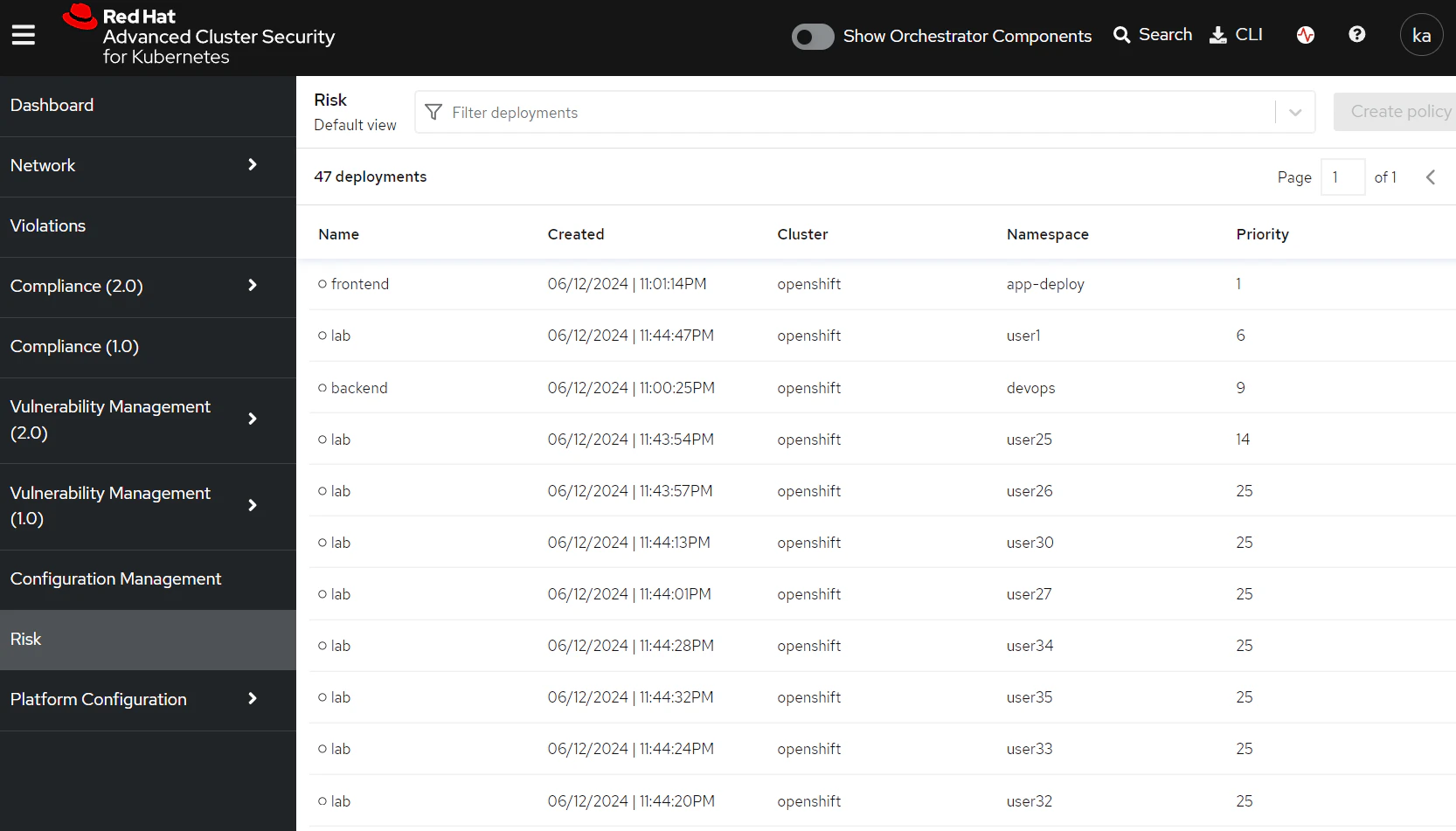
Find the lab deployment inside your namespace and select it. On the right, you'll see a 'Process Discovery' tab open up.
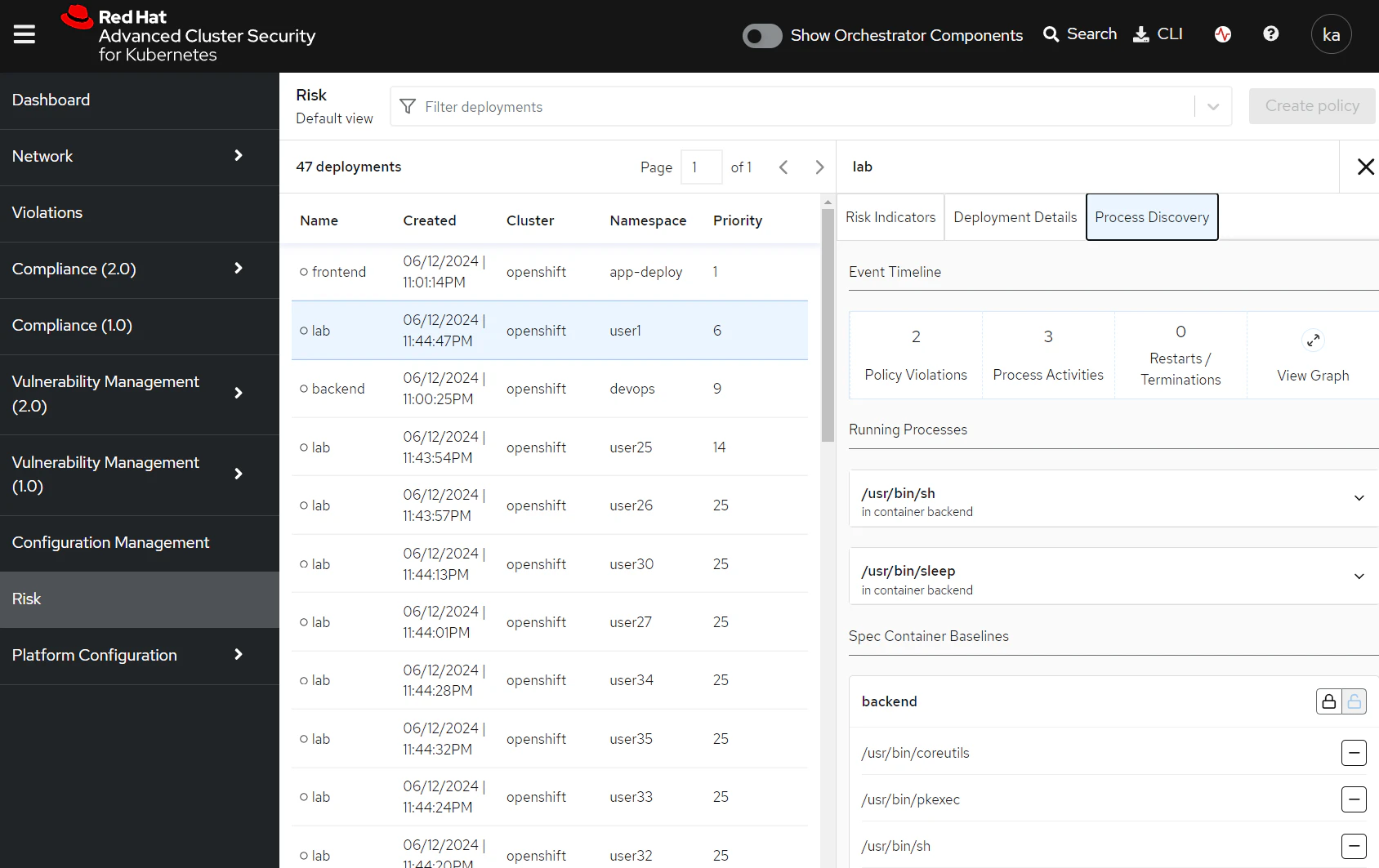
Select the lock icon in the 'Spec Container Baselines' section and use the - button to drop everything out of the baseline except for /usr/bin/sleep.
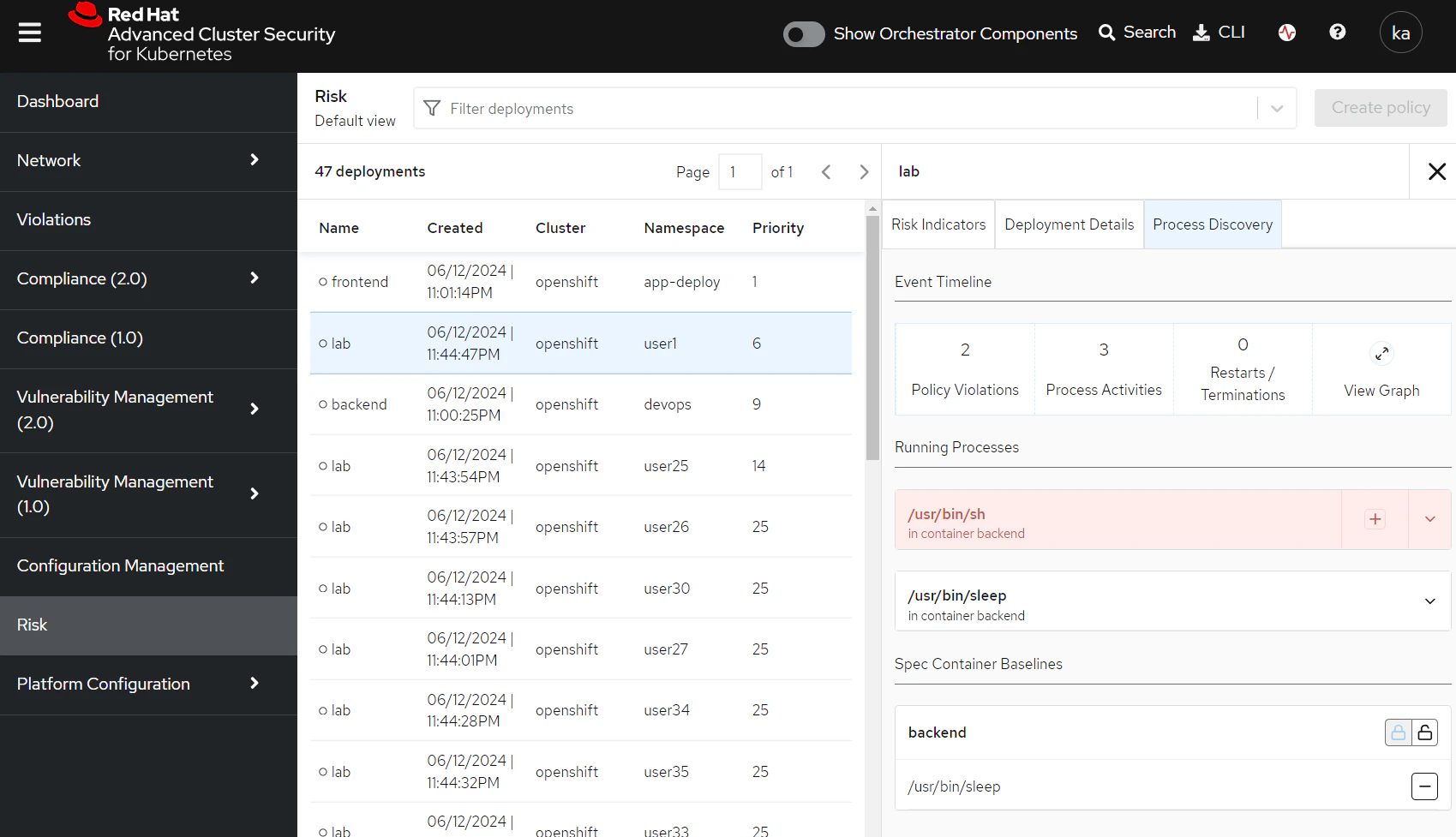
The process baseline for the container is now locked. Let's check that there is a policy to take action when anomalous processes are found.
Navigate to 'Policy management' in Red Hat Advanced Cluster Security for Kubernetes (RHACS) and search for Policy: Unauthorized process.
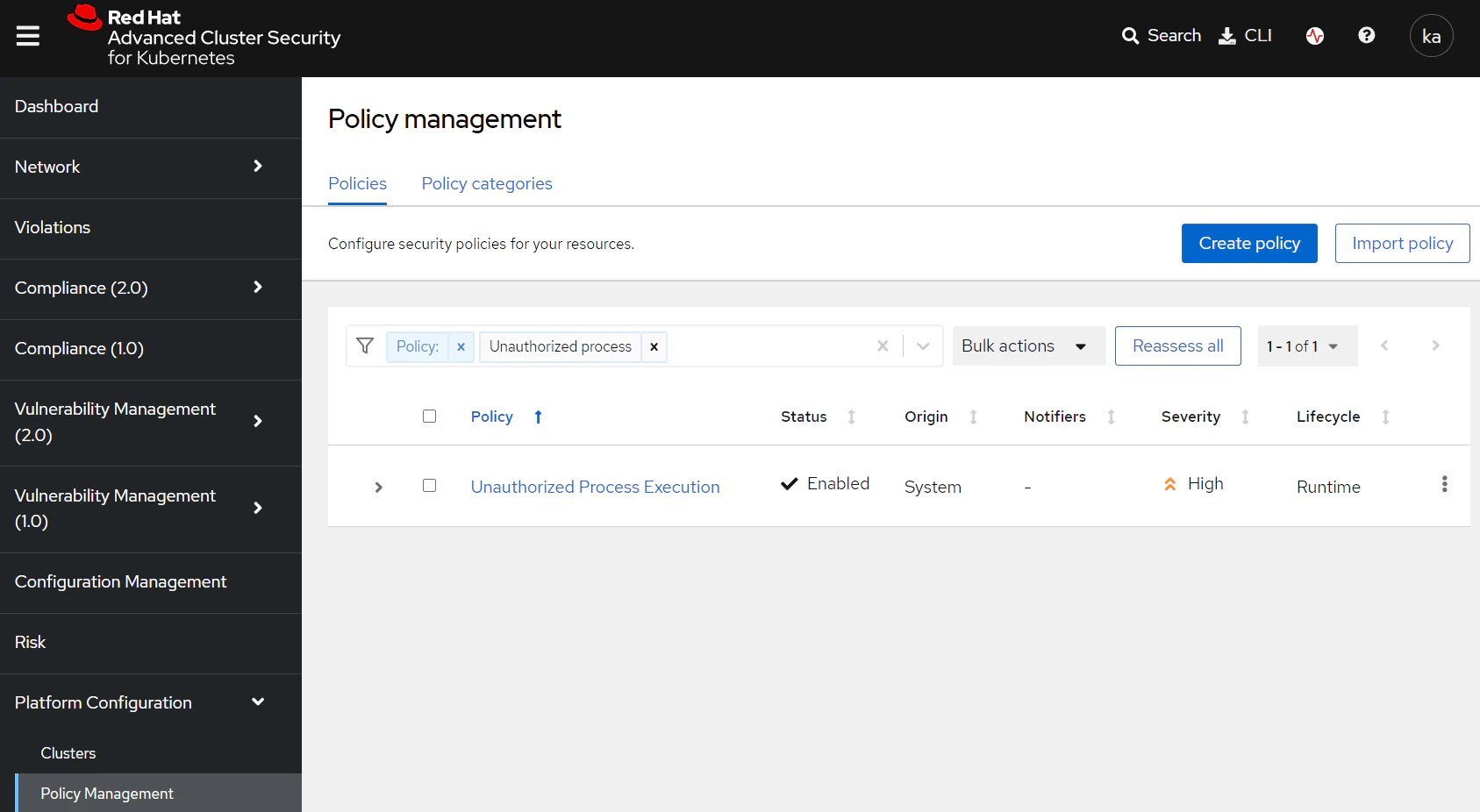
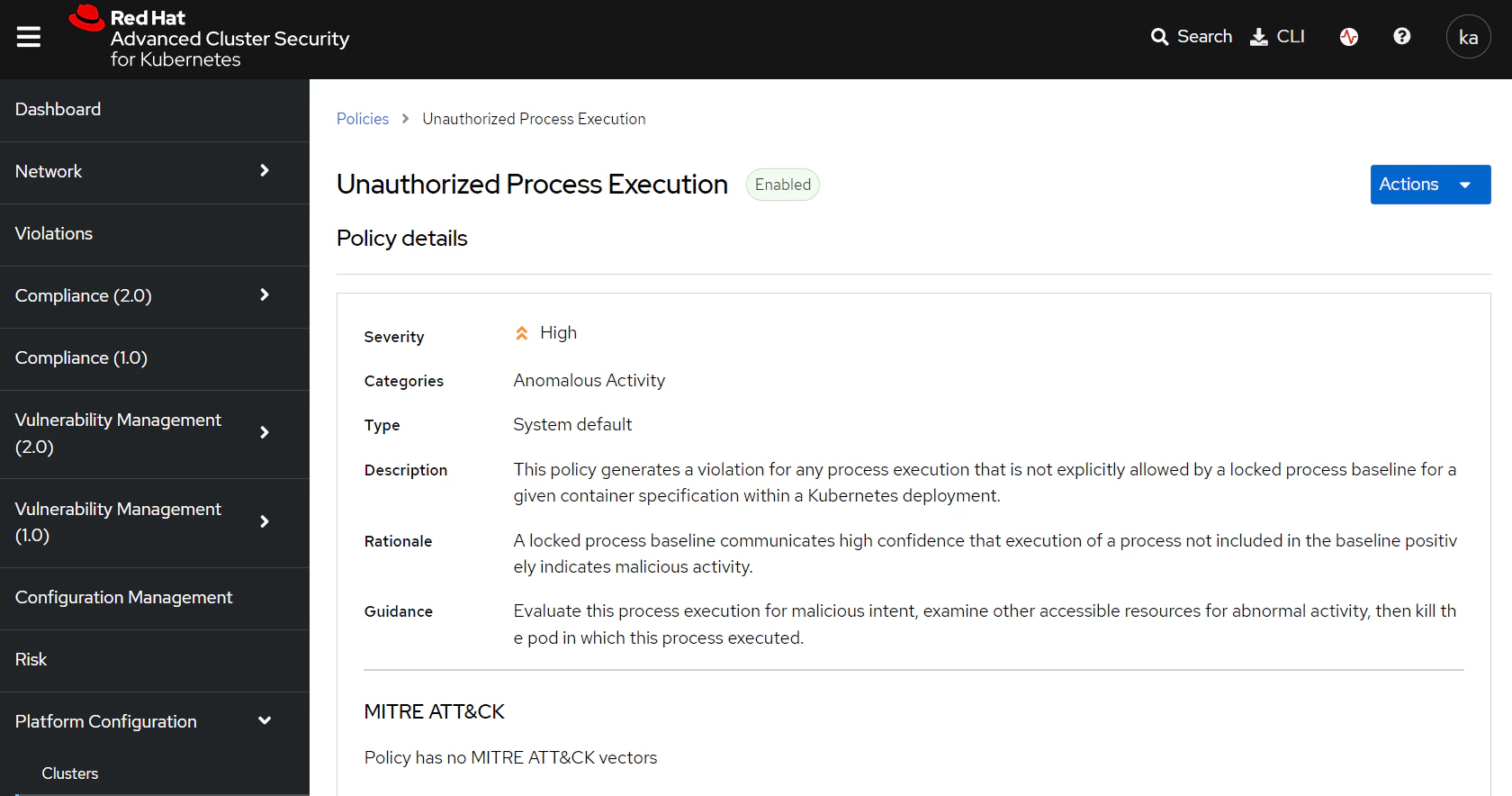
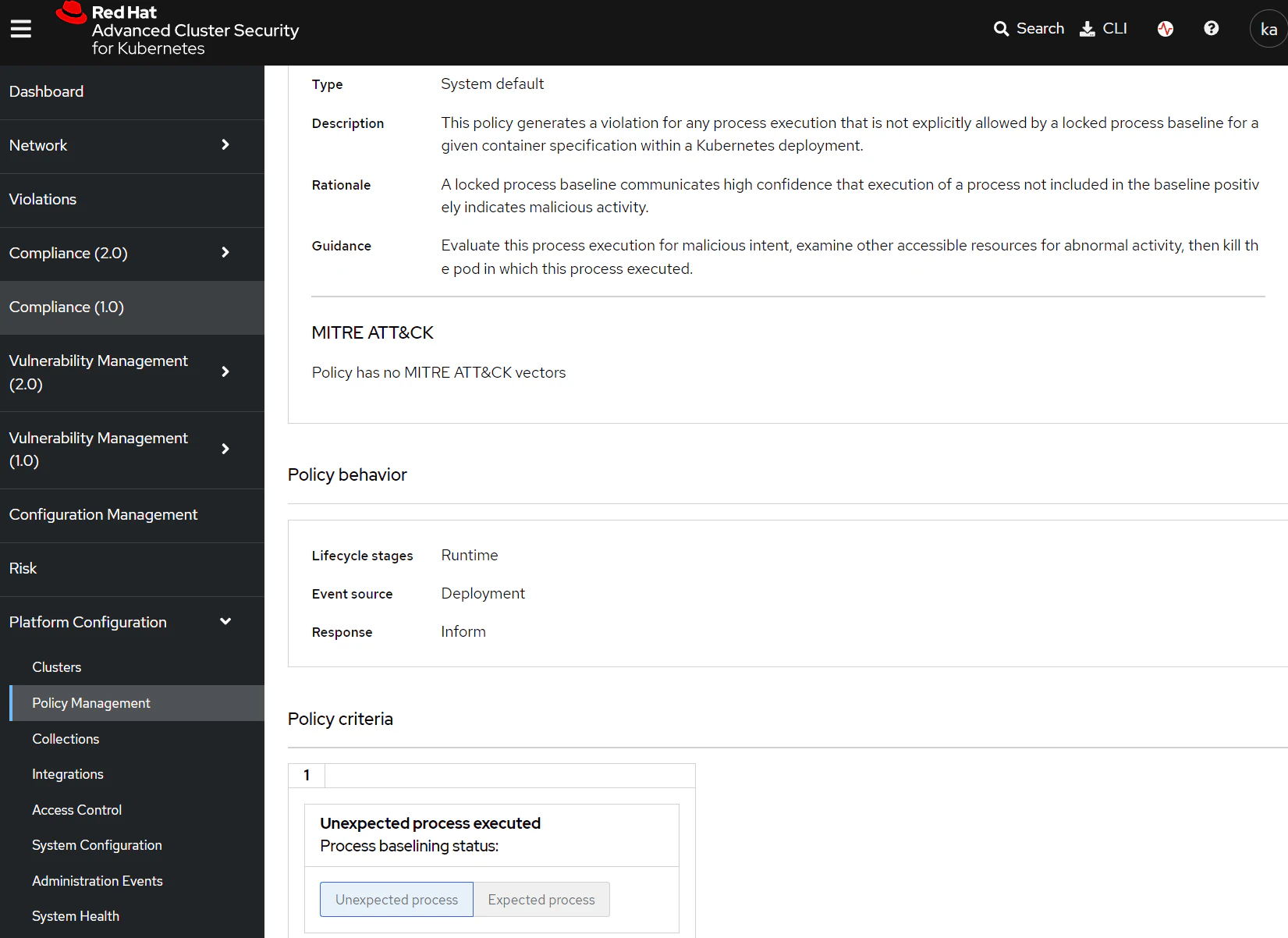
Taking a look at this policy shows that it is a runtime policy designed to inform on any unexpected processes executing inside a container on the cluster, and is currently enabled.
Navigate back to OpenShift and find the lab pod running in your namespace. Access a terminal session and run a few commands.
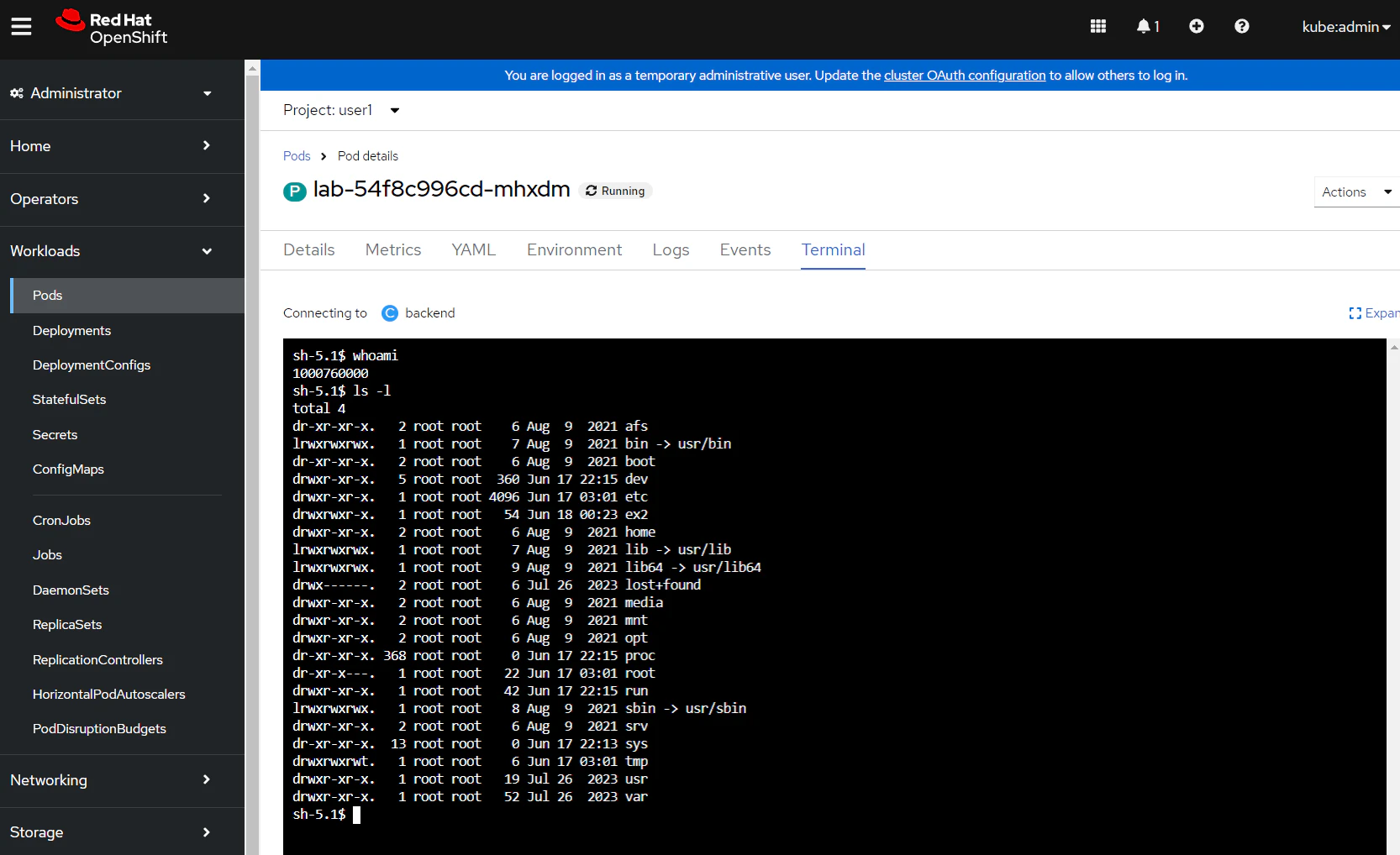
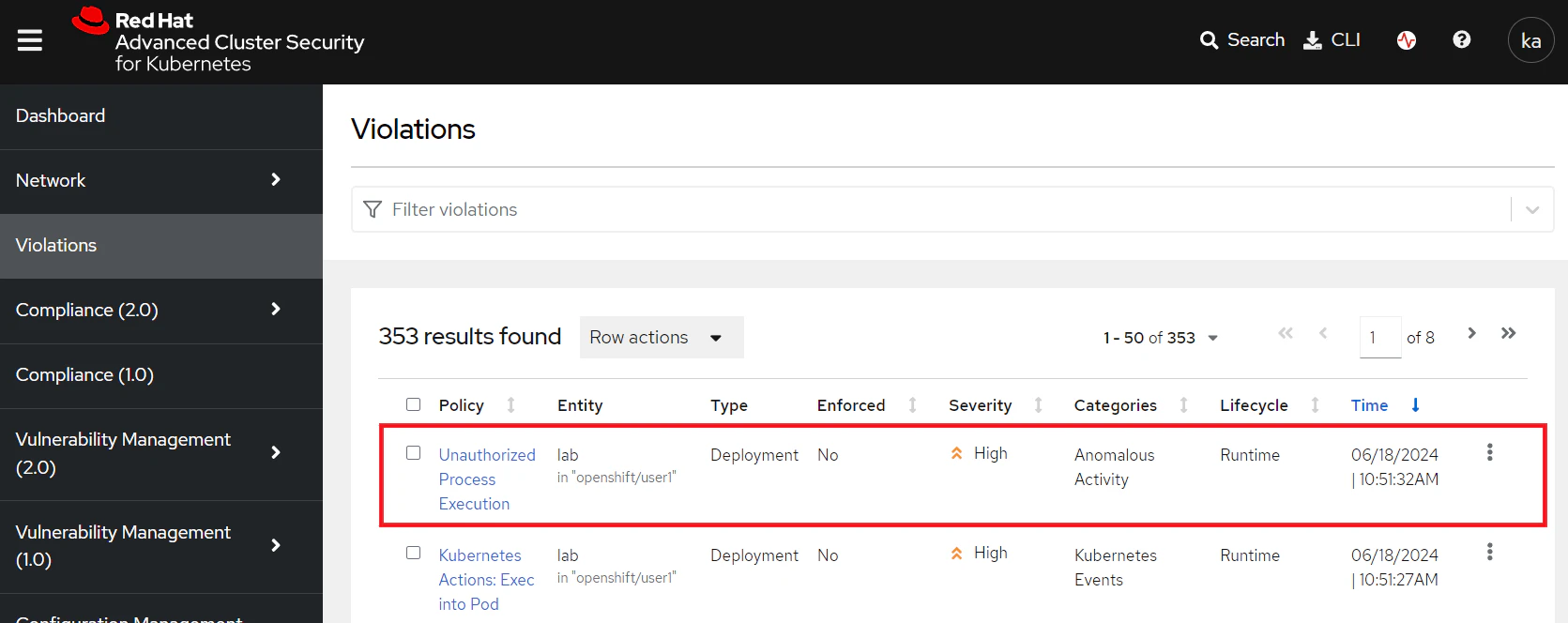
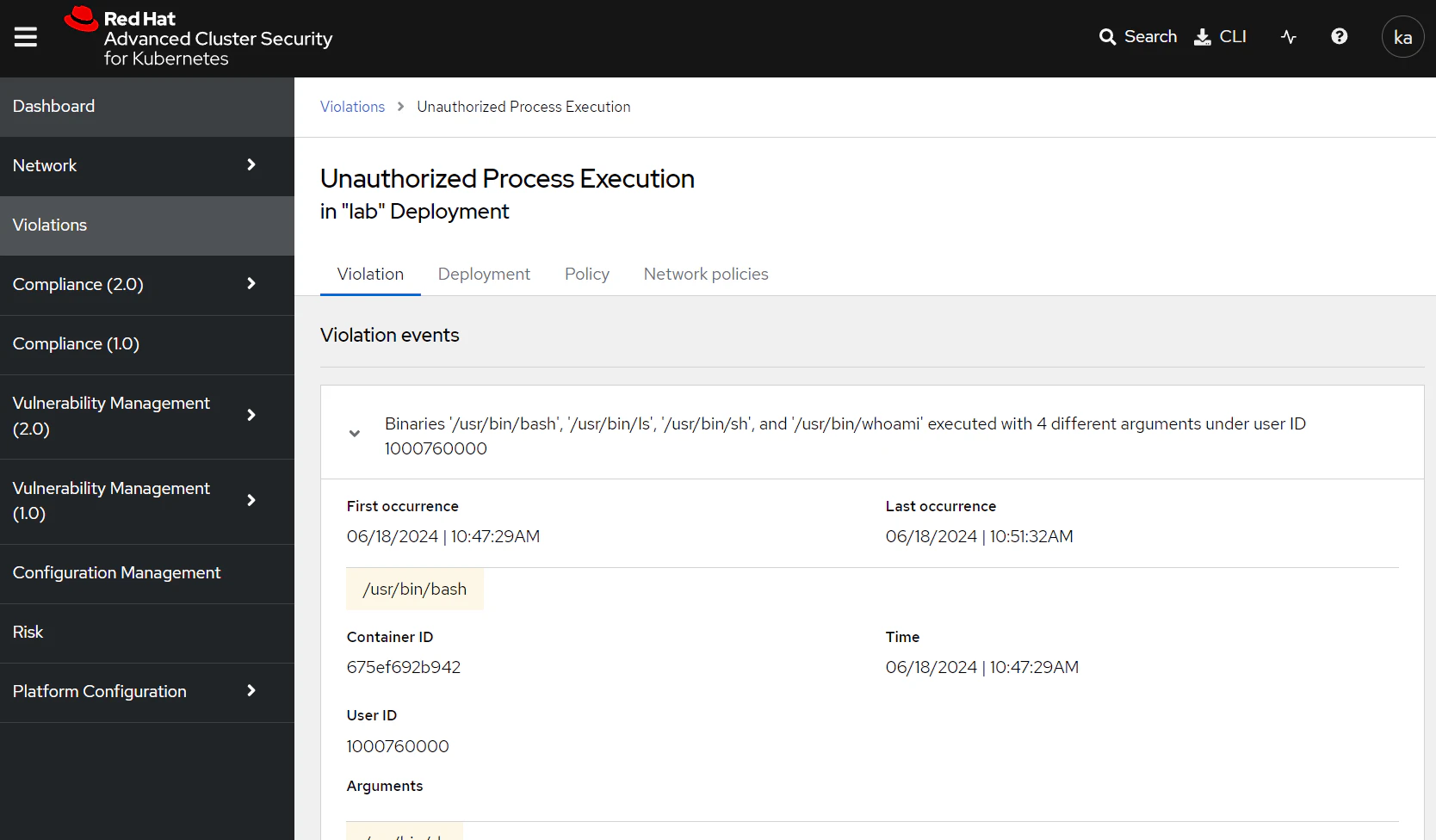
You should now be able to see that there is a new violation created in the RHACS 'Violations' view showing the activity that you ran in the lab pod.