- Published on
- Exercise 2
Creating customised CVE reports with RHACS
- Authors
- Name
Ok, we've seen now how to dig into a specific image and identify CVEs that is exposed to. Importantly, RHACS scans all images deployed to the platform - we know that any new deployments created will be scanned, and the results made available to RHACS analysts.
We identified a single image vulnerable to PwnKit (CVE-2021-4034). Now, let's assume that we want to build a report for CVE-2021-4034. Our reporting tools / platforms expect data in a CSV format, and we want to identify every workload or image that is vulnerable to CVE-2021-4034 and export this data.
To do this we'll use the Red Hat Advanced Cluster Security for Kubernetes (RHACS) RESTful application programming interface (API). This allows us to export data from RHACS using the API, and customise this before sending the data to another platform (like Splunk).
To begin, we need to create a policy for CVE-2021-4034. Navigate to 'Platform Configuration' -> 'Policy management'. This will show all policies that you get out-of-the-box with Red Hat Advanced Cluster Security for Kubernetes (RHACS).

There's a few important things to highlight:
- Each policy has a 'status' field, enabling policies to be enabled / disabled.
- Policies can have 'notifiers' attached. This allows you to notify external systems - such as Splunk, or PagerDuty - when policies are violated.
- Policies have a configurable 'severity' field.
We can also see that each policy has a lifecycle. This determines how the policy is applied:
- 'Build' policies impact the
roxctlCLI, which can be included with CI/CD pipelines to scan container images as a software pipeline stage. - 'Deploy' policies invoke the Red Hat Advanced Cluster Security for Kubernetes (RHACS) admission controller. This allows us to block / notify when certain CVEs or misconfiguration are detected (we'll explore this in exercise 3).
- 'Runtime' policies apply to container process / network traffic detected for container workloads by the RHACS eBPF program (we'll explore runtime policies and eBPF in exercise 4).
We need to create a new policy, so select 'Create Policy'.

This will open up the 'Create Policy' form.

Enter the following data for the policy:
- Name: PwnKit campaign < your username >
- Severity: High
- Categories: Vulnerability Management
- Description: The polkit package is designed to define and handle policies that allow unprivileged processes to communicate with privileged processes on a Linux system. Pkexec, part of polkit, is a tool that allows the user to execute commands as another user according to the polkit policy definitions using the setuid feature. The vulnerability found in pkexec allows an unprivileged local attacker to escalate privileges, bypassing any authentication and policies due to incorrect handling of the process’s argument vector.
- Rationale: Container images vulnerable to PwnKit are potentially exposed to privilege escalation techniques.
- Guidance: Use the package manager for your base image to update polkit packages in container images to versions that are no longer vulnerable.
- MITRE ATT&CK: Privilege Escalation (TA0004) -> Exploitation for Privilege Escalation (T1068).


Click 'Next'. The next page defines the policy behavior. Select 'Build' and 'Deploy', and leave the 'Response method' set to 'Inform'.

Select 'Next', and this next page defines the policy criteria.

Expand 'image contents' on the right-hand side to see additional criteria you can use in the policy.

Locate the CVE field and drag it to the 'Policy section 1' field on the left. Update the CVE identifier for CVE-2021-4034.

Select 'Next'. This screen allows us to limit the policy scope to certain clusters or namespaces, or exclude particular clusters from a policy. We're not going to make any changes here, so just click 'Next'.

Finally you can review the policy. This screen will also show any existing deployments on the platform that fail the policy. When you're happy, click 'Save'.
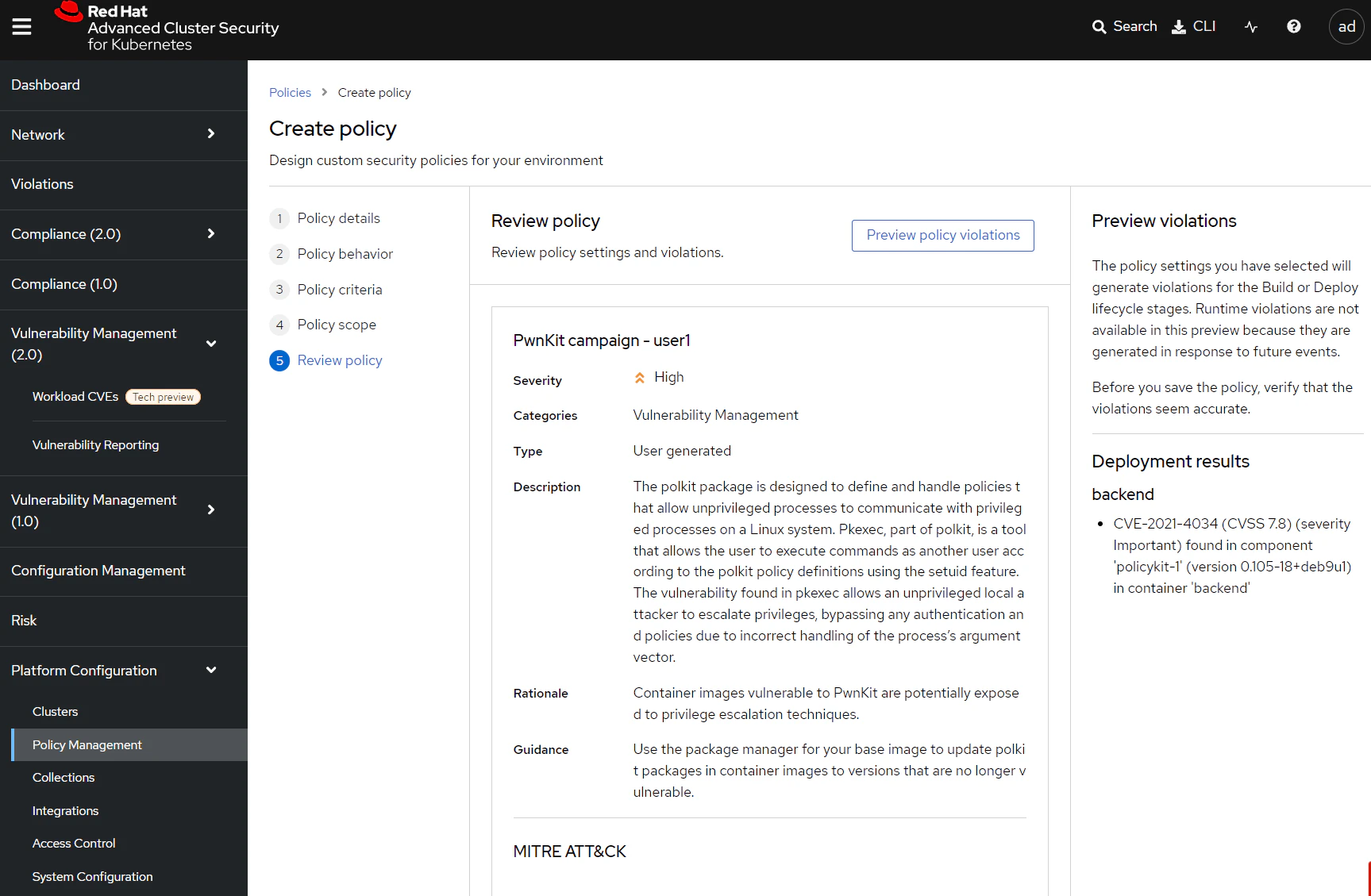
Now that this policy is active we can use it to generate data for a CVE campaign. While we could use the built-in CVE reports, using the RESTful API for this specific campaign allows us to customise the data formatting, which can be very useful when we're pushing data between different platforms. Here, for example, we would like to export the data into a CSV format.
Login to OpenShift and Locate the lab container inside your project namespace. Inside you'll find a script /ex2/pwnkit-report.sh.
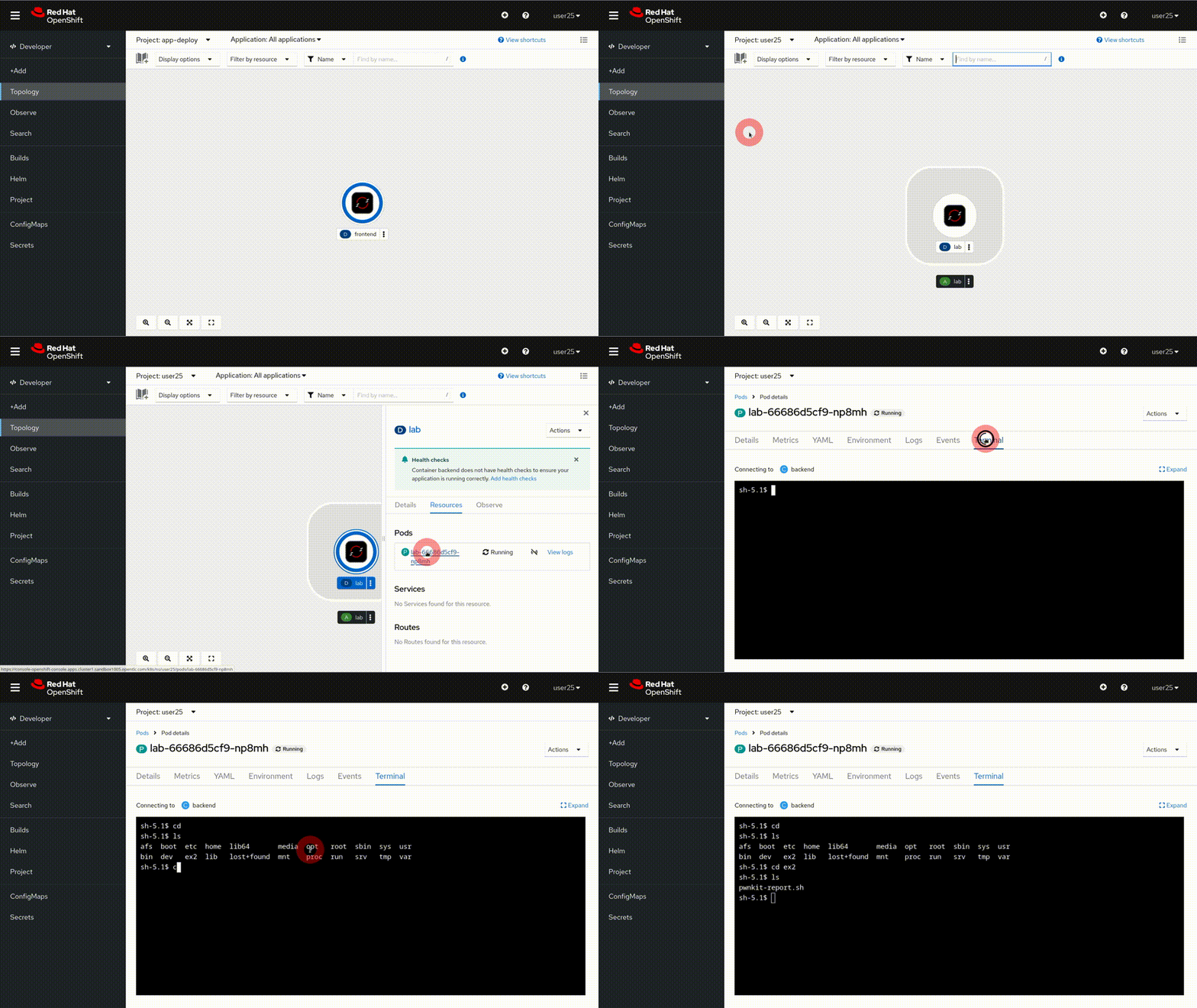
Let's take a look at this file:
cat /ex2/pwnkit-report.sh
#! /bin/bash

set -e

VERSION="${VERSION:-v1}"

if [[ -z "${ROX_ENDPOINT}" ]]; then
  echo >&2 "ROX_ENDPOINT must be set"
  exit 1
fi

if [[ -z "${ROX_API_TOKEN}" ]]; then
  echo >&2 "ROX_API_TOKEN must be set"
  exit 1
fi

if [[ -z "$1" ]]; then
  echo >&2 "usage: create-csv.sh <output filename>"
  exit 1
fi

output_file="$1"
if [[ "${VERSION}" == "v1" ]]; then
  echo '"Deployment", "Image", "CVE", "CVSS Score", "Summary", "Severity", "Component", "Version", "Fixed By", "Layer Index", "Layer Instruction"' > "${output_file}"
elif [[ "${VERSION}" == "v2" ]]; then
  echo '"Cluster Name", "Cluster Id", "Namespace", "Namespace Id","Deployment", "Image", "CVE", "CVSS Score", "Summary", "Severity", "Component", "Version", "Fixed By", "Layer Index", "Layer Instruction"' > "${output_file}"
else
  echo "Unknown version ${VERSION} detected. v1 and v2 supported"
  exit 1
fi

function curl_central() {
  curl -sk -H "Authorization: Bearer ${ROX_API_TOKEN}" "https://${ROX_ENDPOINT}/$1"
}

# Collect all alerts
res="$(curl_central "v1/alerts?query=Policy%3APwnKit%20Campaign%20user1")"

# Iterate over all deployments and get the full deployment
for deployment_id in $(echo "${res}" | jq -r .alerts[].deployment.id); do
  deployment_res="$(curl_central "v1/deployments/${deployment_id}")"
  if [[ "$(echo "${deployment_res}" | jq -rc .name)" == null ]]; then
   continue;
  fi

  if [[ "$(echo "${deployment_res}" | jq '.containers | length')" == "0" ]]; then
   continue;
  fi

  export deployment_name="$(echo "${deployment_res}" | jq -rc .name)"
  export namespace="$(echo "${deployment_res}" | jq -rc .namespace)"
  export namespaceId="$(echo "${deployment_res}" | jq -rc .namespaceId)"
  export clusterName="$(echo "${deployment_res}" | jq -rc .clusterName)"
  export clusterId="$(echo "${deployment_res}" | jq -rc .clusterId)"

   # Iterate over all images within the deployment and render the CSV Lines
   for image_id in $(echo "${deployment_res}" | jq -r 'select(.containers != null) | .containers[].image.id'); do
     if [[ "${image_id}" != "" ]]; then
       image_res="$(curl_central "v1/images/${image_id}" | jq -rc)"
       if [[ "$(echo "${image_res}" | jq -rc .name)" == null ]]; then
        continue;
       fi

       image_name="$(echo "${image_res}" | jq -rc '.name.fullName')"
       export image_name

       # Format the CSV correctly
       if [[ "${VERSION}" == "v1" ]]; then
         echo "${image_res}" | jq -r 'try (.metadata.v1.layers as $layers | .scan.components | sort_by(.layerIndex, .name) | .[]? | . as $component | select(.vulns != null) | .vulns[] | select(.fixedBy != null) |select(.cve == "CVE-2021-4034") | [ env.deployment_name, env.image_name, .cve, .cvss, .summary, .severity, $component.name, $component.version, .fixedBy, $component.layerIndex, ($layers[$component.layerIndex // 0].instruction + " " +$layers[$component.layerIndex // 0].value)]) | @csv' >> "${output_file}"
       else
         echo "${image_res}" | jq -r 'try (.metadata.v1.layers as $layers | .scan.components | sort_by(.layerIndex, .name) | .[]? | . as $component | select(.vulns != null) | .vulns[] | select(.fixedBy != null) | select(.cve == "CVE-2021-4034") | [ env.clusterName, env.clusterId, env.namespace, env.namespaceId, env.deployment_name, env.image_name, .cve, .cvss, .summary, .severity, $component.name, $component.version, .fixedBy, $component.layerIndex, ($layers[$component.layerIndex // 0].instruction + " " +$layers[$component.layerIndex // 0].value)]) | @csv' >> "${output_file}"
       fi
     fi
  done
done
Where do I find more examples like this?
This example comes from the StackRox community contributions repository.
This repository contains example policies, reporting scripts, CI integrations, and other helpful examples showing how you can extend Red Hat Advanced Cluster Security for Kubernetes (RHACS).
Update the report to reflect your report name. If you've used the standard PwnKit campaign %%user%% you can se sed to replace the report name. Note that you can use 'ctrl-shift-v' to paste into the container terminal:
sed -i s/user1/user2/g pwnkit-report.sh
Before we run this script we need to create an API token to provide access to Red Hat Advanced Cluster Security for Kubernetes (RHACS). Navigate to 'Platform Configuration' -> 'Integrations' in the RHACS console, and scroll down to 'StackRox API token'.
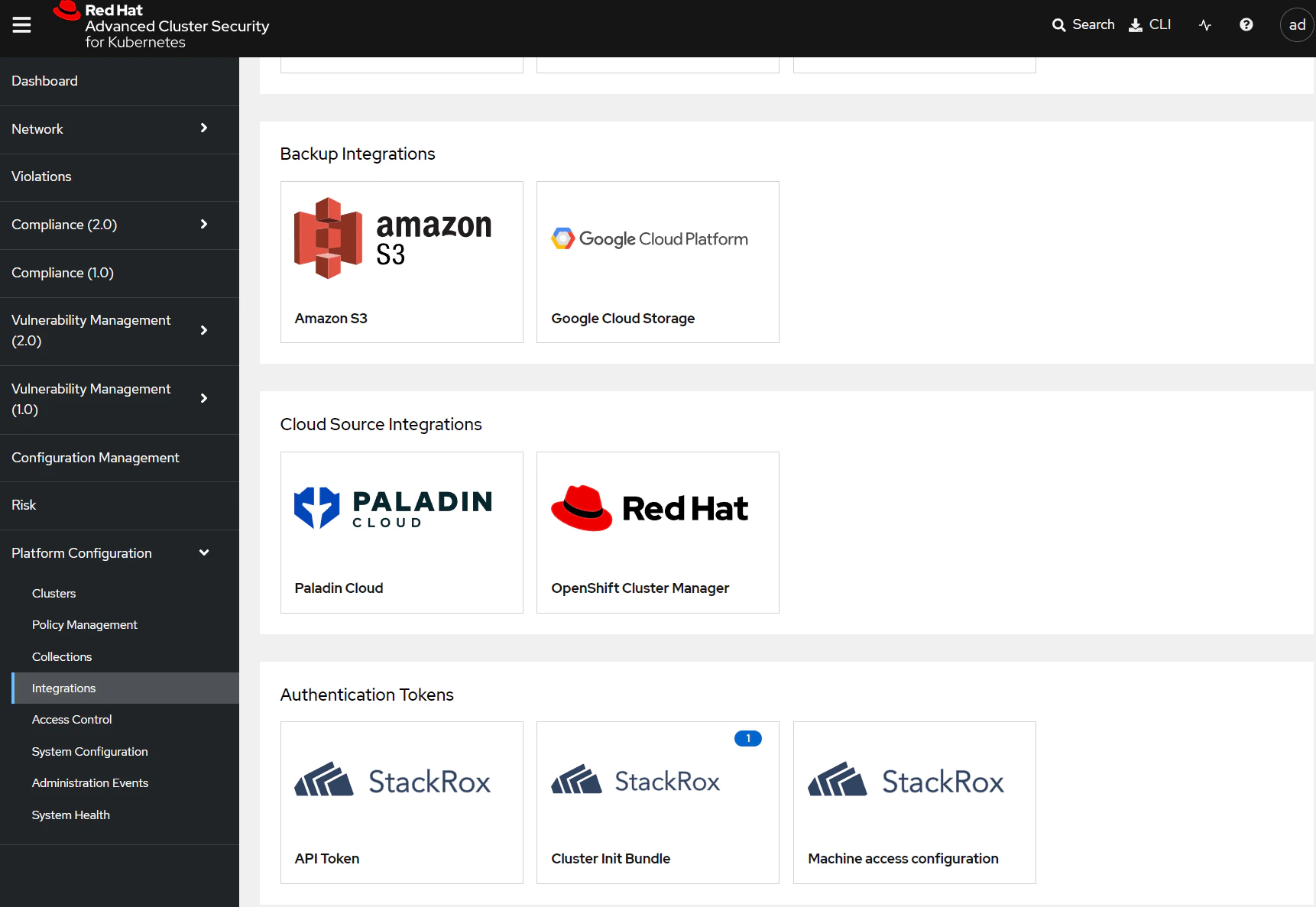
Select 'API token' and then 'Generate token'
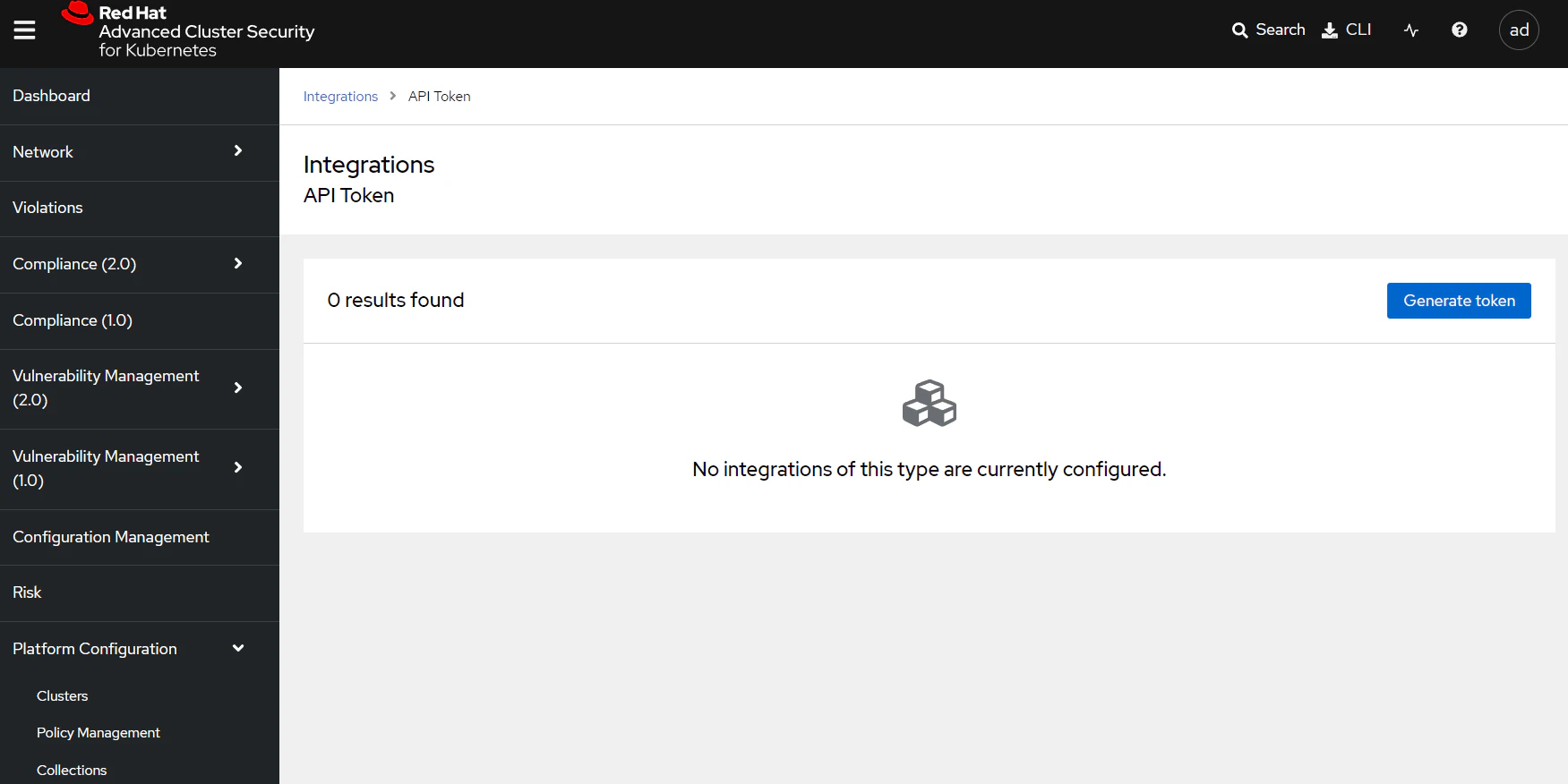
Enter your username for the token name and give the token a role of 'Analyst'.
What's the 'Analyst' role?
Red Hat Advanced Cluster Security for Kubernetes (RHACS) uses role-based access controls (RBAC) to limit the data and actions a user can perform.
The 'Analyst' role is targeted for a user who cannot make any changes, but can view everything. It provides a good fit for customer reporting here because we can use it to provide read-only access for all resources.
You can find the complete list of RHACS default roles in the docs.

Copy the token from the previous page and set it inside your terminal:
export ROX_API_TOKEN=eyJhb...
Run the report.
./pwnkit-report.sh pwnkit.csv
Take a look at the file that's been generated:
$ cat pwnkit.csv
"Deployment", "Image", "CVE", "CVSS Score", "Summary", "Severity", "Component", "Version", "Fixed By", "Layer Index", "Layer Instruction"
"backend","quay.io/the-worst-containers/pwnkit:v0.6","CVE-2021-4034",7.8,"A local privilege escalation vulnerability was found on polkit's pkexec utility. The pkexec application is a setuid tool designed to allow unprivileged users to run commands as privileged users according predefined policies. The current version of pkexec doesn't handle the calling parameters count correctly and ends trying to execute environment variables as commands. An attacker can leverage this by crafting environment variables in such a way it'll induce pkexec to execute arbitrary code. When successfully executed the attack can cause a local privilege escalation given unprivileged users administrative rights on the target machine.","IMPORTANT_VULNERABILITY_SEVERITY","policykit-1","0.105-18+deb9u1","0.105-18+deb9u2",6,"RUN apt-get update && apt-get install -y libpolkit-gobject-1-0=0.105-18+deb9u1     libpolkit-agent-1-0=0.105-18+deb9u1     libpolkit-backend-1-0=0.105-18+deb9u1    policykit-1=0.105-18+deb9u1"
Let's explore this data a little more:
- There is a deployment active on the cluster named
backendthat is vulnerable to PwnKit (CVE-2021-4034) - The vulnerable container image associated with this deployment is
quay.io/the-worst-containers/pwnkit:v0.6 - The vulnerability is introduced in the 0.105-18+deb9u1 version of the
policykit-1package, and is fixed in the 0.105-18+debu9u2 package. - Specifically the vulnerability was introduced with the lines shown at the end of the file.
Troubleshooting
There are a few things that can go wrong generating the report. You may get a report output like this, with no other information:
"Deployment", "Image", "CVE", "CVSS Score", "Summary", "Severity", "Component", "Version", "Fixed By", "Layer Index", "Layer Instruction"
If this happens, it's likely that the reporting script is looking for a differently named policy. Check the policy value in the script:
# Collect all alerts
res="$(curl_central "v1/alerts?query=Policy%3APwnKit%20Campaign%20user1")"
Summary
In this lab we looked at creating reports for specific CVEs, using the Red Hat Advanced Cluster Security for Kubernetes (RHACS) RESTful API to extract data and present is as CSV-formatted files. This provides complete control over the report format and data, and can be exported to Splunk, Sentinel or other platforms for further analysis.
Stretch goals
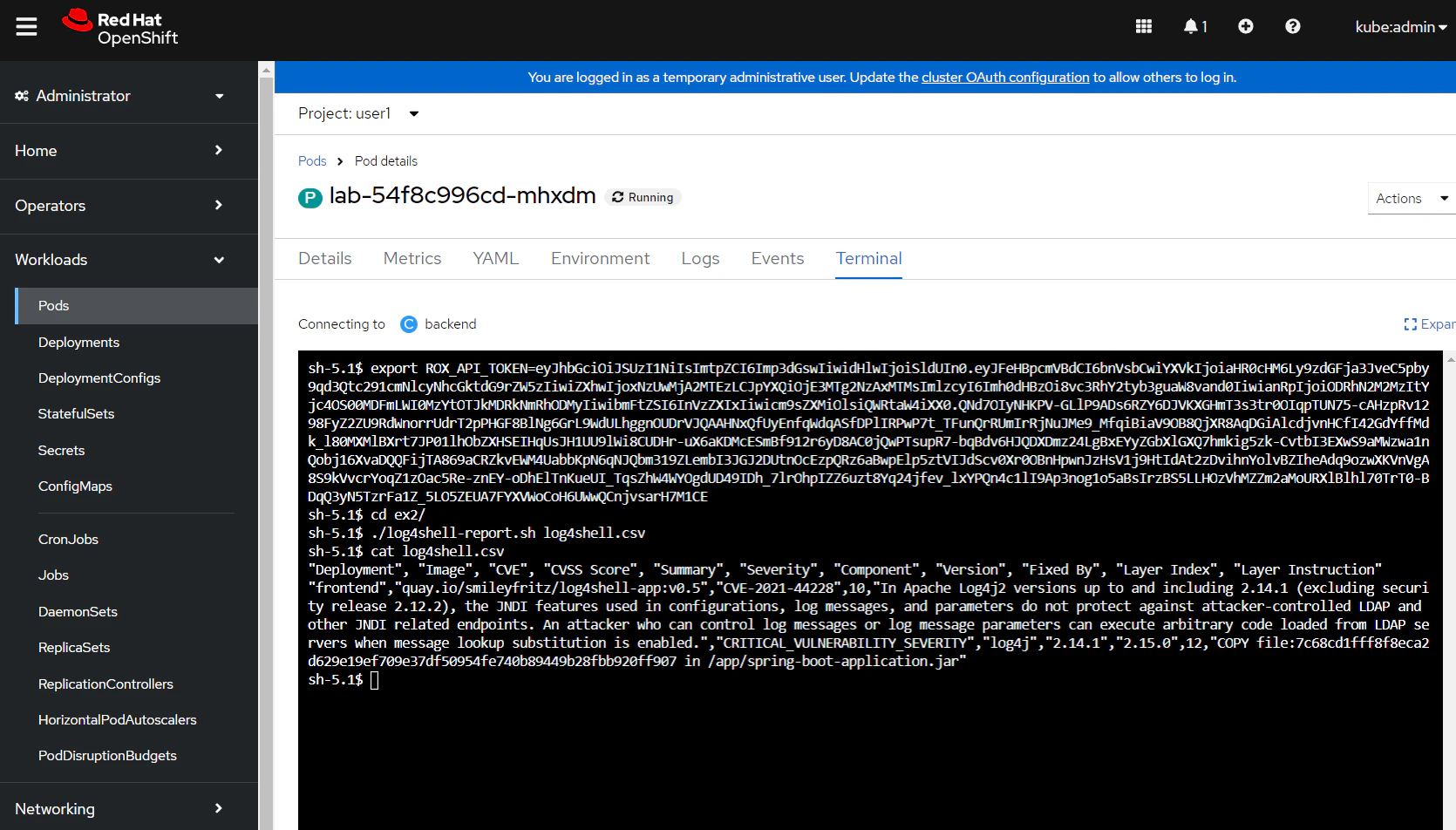
Can you create a similar report for Log4Shell? Is there an existing policy that can help?
Solution
Red Hat Advanced Cluster Security for Kubernetes (RHACS) has a built-in policy for Log4Shell detection. You can find this by searching for Policy: Log4Shell in the RHACS policy management view.
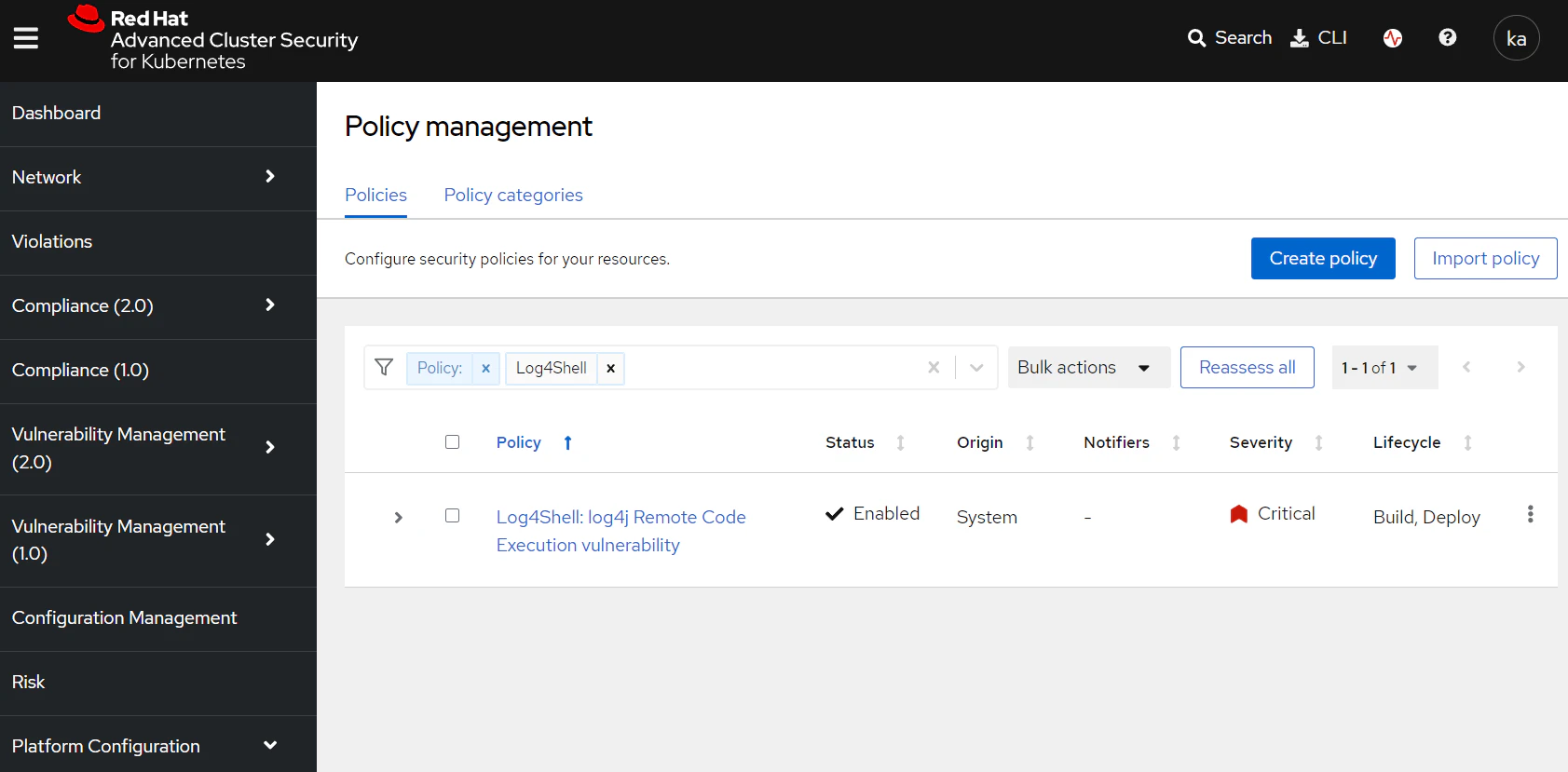
You can modify the existing report to instead use this Log4Shell policy. vim and nano are provided in the lab pod to assist you to modify the report.
Firstly, access a terminal session for the lab pod and copy the report to a new file.
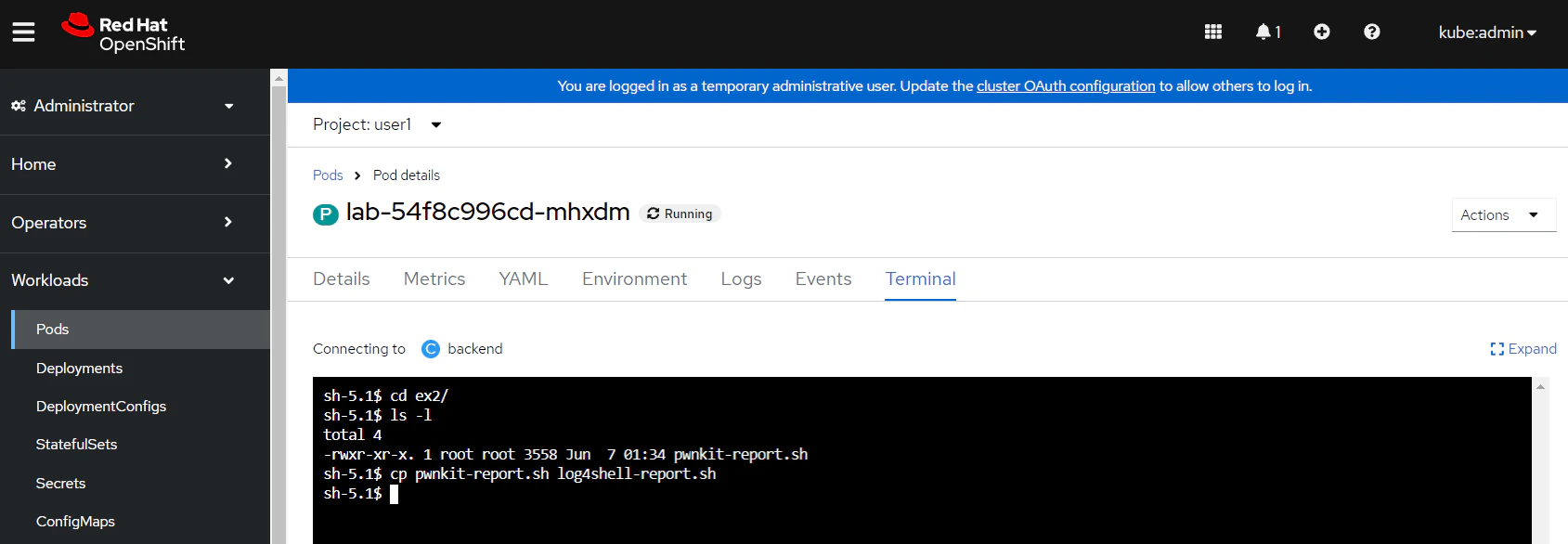
Use one of the available editors to update the following line in the report to use the Log4Shell policy:
# Collect all alerts
res="$(curl_central "v1/alerts?query=Policy%3ALog4Shell%3A%20log4j%20Remote%20Code%20Execution%20vulnerability")"
Update the two CSV formatting sections with the Log4Shell CVE identifier:
# Format the CSV correctly
if [[ "${VERSION}" == "v1" ]]; then
  echo "${image_res}" | jq -r 'try (.metadata.v1.layers as $layers | .scan.components | sort_by(.layerIndex, .name) | .[]? | . as $component | select(.vulns != null) | .vulns[] | select(.fixedBy != null) |select(.cve == "CVE-2021-44228") | [ env.deployment_name, env.image_name, .cve, .cvss, .summary, .severity, $component.name, $component.version, .fixedBy, $component.layerIndex, ($layers[$component.layerIndex // 0].instruction + " " +$layers[$component.layerIndex // 0].value)]) | @csv' >> "${output_file}"
else
  echo "${image_res}" | jq -r 'try (.metadata.v1.layers as $layers | .scan.components | sort_by(.layerIndex, .name) | .[]? | . as $component | select(.vulns != null) | .vulns[] | select(.fixedBy != null) | select(.cve == "CVE-2021-44228") | [ env.clusterName, env.clusterId, env.namespace, env.namespaceId, env.deployment_name, env.image_name, .cve, .cvss, .summary, .severity, $component.name, $component.version, .fixedBy, $component.layerIndex, ($layers[$component.layerIndex // 0].instruction + " " +$layers[$component.layerIndex // 0].value)]) | @csv' >> "${output_file}"
Run the new script to generate a CSV file.
$ cd ex2/
$ ./log4shell-report.sh log4shell.csv
Verify that you have a vulnerable deployment named frontend listed in the output.